New controllers are too expensive - I am sure none of you will disagree with me on that. Gone are the days when we’d have a bunch of spares lying around the house in case people came over for some local multiplayer (remember that?) or the main one went through too much wear and tear.
Now, you’re probably just holding on to the single controller that came with your console, and praying that it doesn't develop stick drift. And when it inevitably does, that leaves you with a choice: splurge on a new, official controller, or take a risk on a third-party?
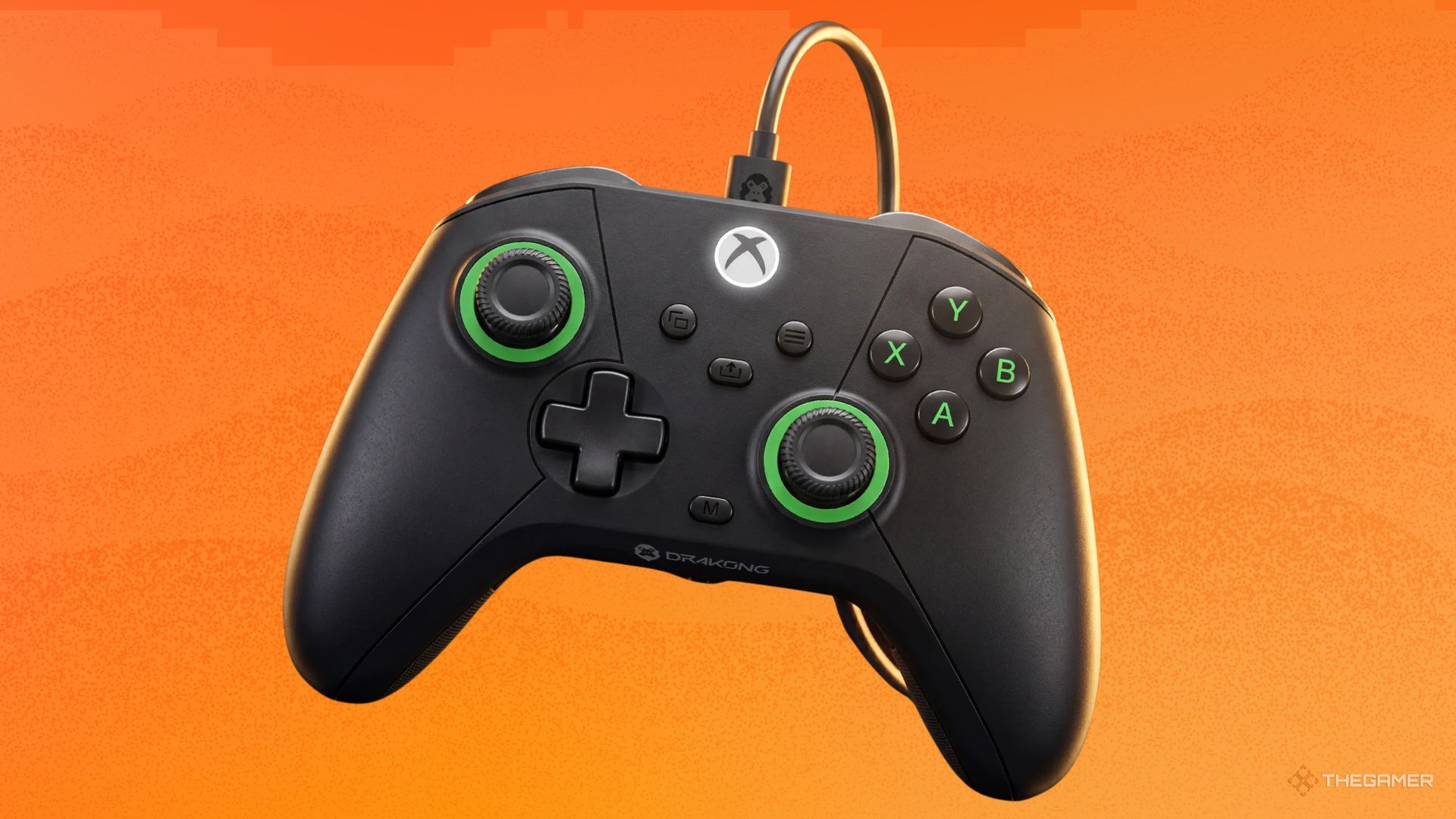
Well, if you find yourself facing this dilemma, and you do your gaming on Xbox or PC, I can happily recommend a new controller for your consideration: The Challenger from Drakong. This budget controller has the look and performance of a proper Xbox controller, at about half the price. Chuck in a free month of Xbox Game Pass, and The Challenger is setting itself up as the go-to alternative to official hardware.

The worst thing about any third-party controller is when it tries to fix what isn’t broken. The Challenger dodges this by just using pretty much the exact same design as your Xbox controller, with minimal modifications.
For instance, everything is where you’d expect it to be, with the only exception being that there are two additional buttons on the back - M1 and M2. These are on the handle, so you’ll have a finger resting over them at all times.
The Challenger is a true plug-and-play controller, so no set-up was required - even for these unique buttons that many controllers omit. During my tests with Cyberpunk 2077 and Star Wars Zero Company, M2 was linked to anything the A button was, and M1 matched the B button. I found this most helpful in Cyberpunk 2077, as it meant I didn’t always have to stretch my thumb over, and could keep using both of the analogue sticks while pressing the A and B buttons in combat. Muscle memory is a hell of a hurdle to get over, but if you’re able, the options are there.
Perhaps the biggest compliment I can pay the controller is that it became my preferred way to play Star Wars Zero Company. Any tactics game feels like it was made for keyboard and mouse, but the lightweight controller just made it so easy to sit back, relax, and play. It even has a button for screenshots, if you’re like me and snap away as you play.


Right out of the box, the Challenger wowed me with its look, but as soon as I held it, it was clear that this was a budget controller. I don’t necessarily mean that as an insult or to deduct any points - it is just much lighter than any official hardware, and the buttons and triggers have that lack of resistance and cushioning that you would associate with budget hardware.
سەرچاوەی فەرمی بە زمانی ئینگلیزی: https://www.thegamer.com/the-challenger-drakong-third-party-xbox-controller-review/