Halloween: The Game lets you jump into the shoes of Michael Myers in both its single-player and multiplayer experiences. Whether you are trying to beat the main story and all of its challenges in the best way possible or competing to win as the killer online, you may want to learn how to use Michael's assortment of different abilities. One of the first things you are introduced to is the Shape Jump, which is one of the most important abilities for hunting down your targets. Here's everything you need to know.


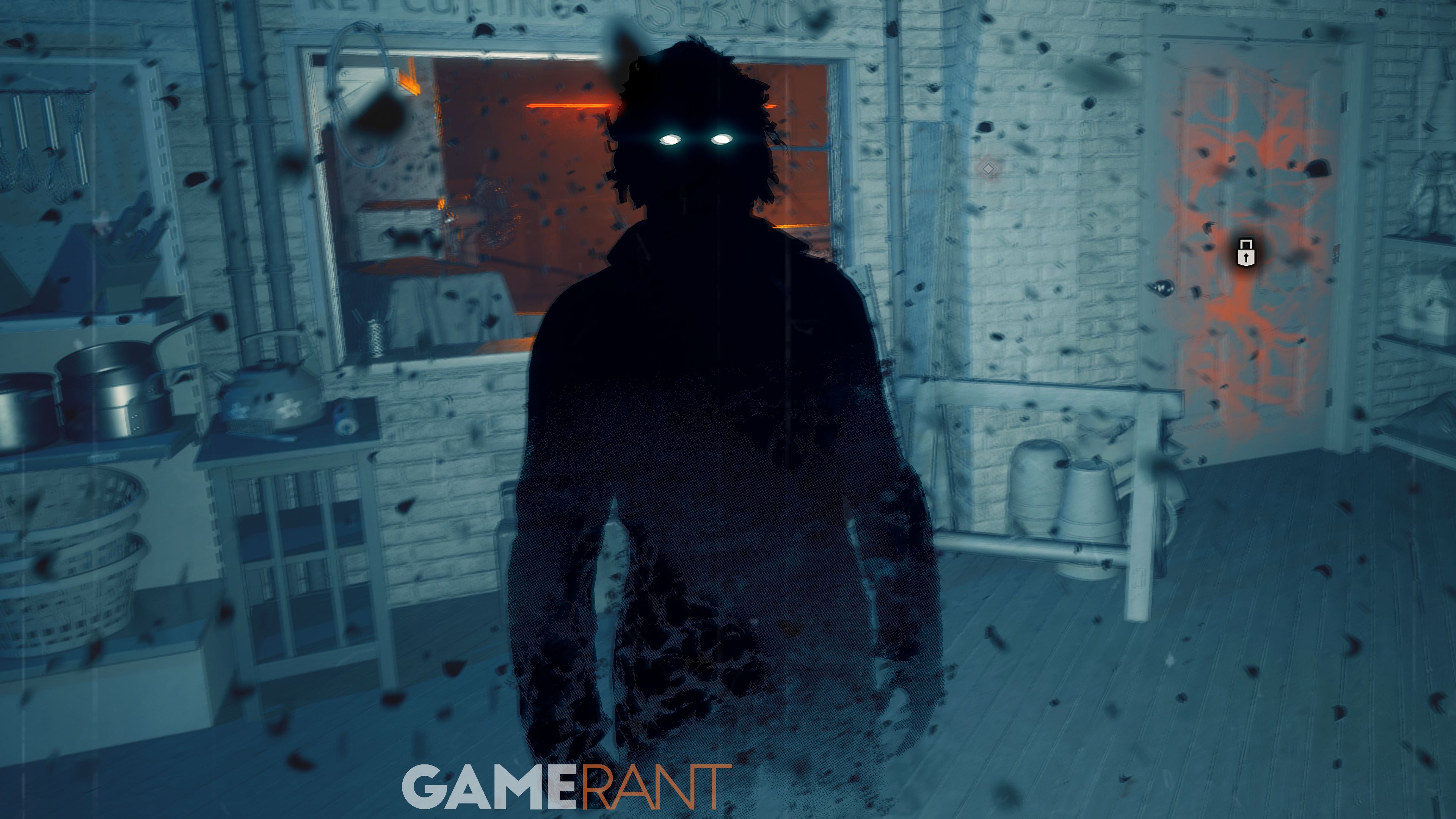
To Shape Jump in Halloween: The Game, start by pressing the Shape Jump key to activate it. This is typically Q for keyboard, or A on Xbox and X on PlayStation. This will also be the key you press to shift out of Shape Jump. Once Shape Jump is activated, you will become invisible to all civilians, and your movement speed is greatly increased.

When in your Shape Jump mode, Michael can perform several different abilities that are otherwise inaccessible. The first is to simply phase through certain doors and spaces, provided that they are not illuminated. You can do this by simply walking towards a door, window, or space, and if two arrows appear on your HUD, you can phase through it. If you cannot phase through a door or window, it will be highlighted in orange.

The second major ability is the Shape Dash, which you can perform by pressing Space on keyboard or RB / R1 on controller. With Shape Dash, your movement speed is increased even further, allowing you to quickly move through the map to either get from point A to B in a flash or catch up to a fleeing civilian.
While Shape Jump can be used indefinitely, after shifting back out of it, it will go into a short cooldown, indicated via the bottom right of your screen. Try to use it sparingly.
Shape Jump is by far the most important ability in your arsenal as Michael, but there are some things to keep in mind. You can only Shape Jump when you are in the dark and when there are no civilians watching you. You also need to be in the shadows or out of sight to shift back out of Shape Jump.
If you are already in your Shape Jump form and happen to cross into an illuminated area, Michael will glow and his movement speed will be reduced. This makes turning off lights, cutting power to houses, and sticking to the shadows crucial if you want to use Shape Jump effectively.
Whilst Shape Jump is active, loud sounds will also show up on your HUD just like they would during Killer Sense, and fleeing targets will also leave behind a smoke trail. Use both to track down your targets.
سەرچاوەی فەرمی بە زمانی ئینگلیزی: https://gamerant.com/halloween-the-game-how-to-shape-jump-michael-myers/