Threats lurk in Silent Hill Townfall, so if you want to avoid fatal damage, then it's best to make frequent manual saves instead of relying on the auto-save feature. However, saving isn't as simple as just opening the start menu. In fact, you'll need to find a telephone and dial the number 100. We'll further explain how to save, when you get the opportunity to do so, and how it works!


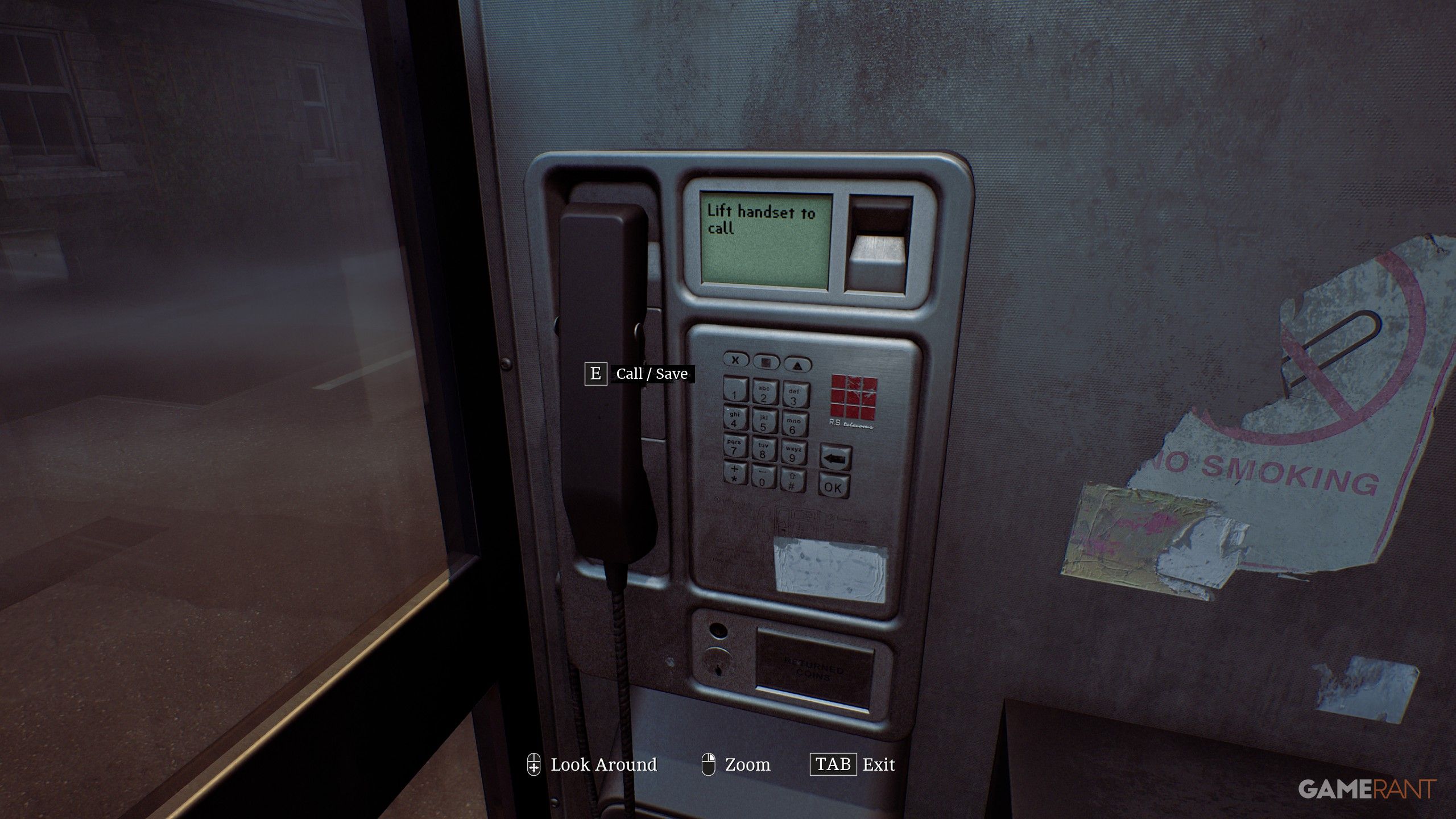
You can manually save by interacting with any phone booth or telephone and dialing "100," then pressing "OK." You will first learn the "100 Save Yourself" number combination when you find your first Phone Box, which is located in the Town Square just a short walk after you spawn.
You can manually save at any time, and an unlimited number of times. Don't worry about relying strictly on Phone Boxes, as most buildings will have a landline phone that can be used in the same way, except you need to hit the "#" key instead of "OK". However, if you see a Phone Box during your exploration, it's best to use it, because who knows when one will pop up later?
In order to actually progress the game at the start, you will need to manually save to enter the Otherworld. As soon as you enter the number " 100 ", you will enter a cutscene that takes you to the next section of the game. Don't worry, though; you'll return to your previous location shortly!


سەرچاوەی فەرمی بە زمانی ئینگلیزی: https://gamerant.com/silent-hill-townfall-manual-save-phone-number/